VIVO Dual Monitor Stand Up Desk Mount Extra Tall 39 inch Pole, Fully Adjustable Stand for up to 27 inch Screen Review (2026)
Updated September 14, 2026 · Research-based review
Our verdict
VIVO's extra tall dual monitor mount uses a 39 inch center pole to lift two screens up to 27 inches high enough for tall users at a standing desk, with full tilt, swivel, and rotation on each arm. It needs a sturdy desk edge for the clamp or a grommet hole, and it will not hold screens larger than 27 inches.
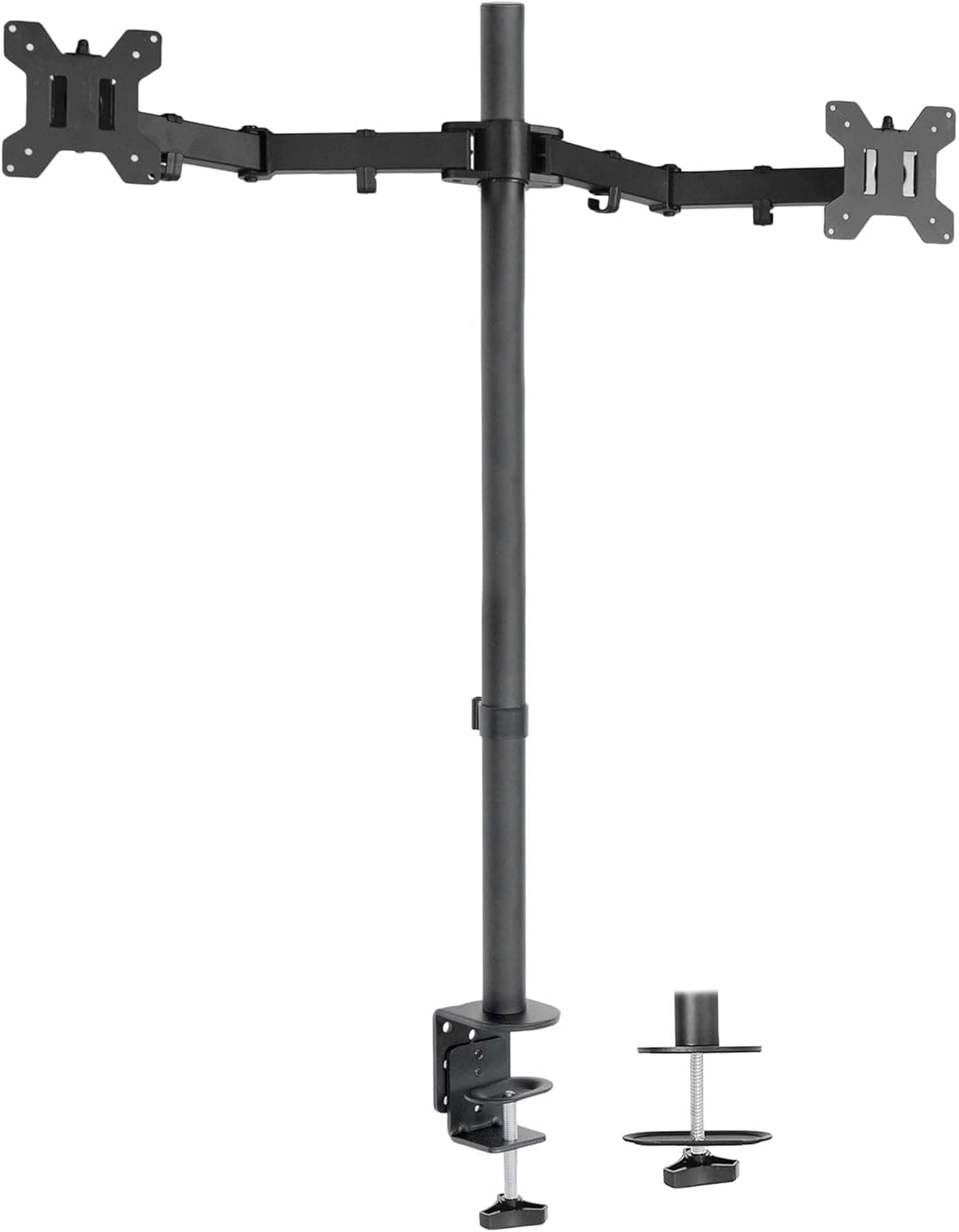
VIVO's dual monitor stand up desk mount with an extra tall 39 inch pole, fully adjustable for up to 27 inch screens, ideal for tall setups.
Price range: $$ (Mid-range)
What we liked
- + Extra tall 39 inch pole lets monitors sit high enough for standing tall users
- + Holds two screens up to 27 inch with independent adjustment
- + Frees desk space compared with bulky risers
Trade-offs
- - Clamp or grommet mount needs a sturdy desk edge
- - Screens larger than 27 inch are not supported
Who this monitor mount is for
Tall users at sit stand desks are the clear target, since a typical monitor arm or riser tops out well below eye level once the desk itself is raised for standing. The 39 inch center pole on this VIVO stand is built specifically to close that gap, letting both screens sit high enough that a tall user is not hunching forward or looking down even at full standing height. It holds two monitors up to 27 inches each, so anyone running a larger ultrawide or above 27 inches will need a different mount. Because it frees the desk surface entirely, it also suits anyone who wants a keyboard and mouse to sit closer to the front edge instead of being pushed back by a bulky monitor base.
How the mount adjusts and what it holds
Each arm supports up to 22 lbs and moves independently through plus or minus 90 degrees of tilt, a full 360 degrees of swivel, and 360 degrees of rotation for switching a screen between landscape and portrait. The arms attach to a steel center pole with VESA plates compatible with the common 75x75mm and 100x100mm mounting patterns used by most monitors in this size range. Mounting is either a C clamp for desks up to about 3.25 inches thick or an included grommet mount for desks with a pre-drilled or drillable hole, giving some flexibility depending on the desk's edge design. Height along the pole is also adjustable, so the screens can be dropped back down for seated use without remounting anything.
Setting it up and using it daily
Assembly is a desktop job with basic tools, clamping or bolting the base to the desk, sliding the pole in, and attaching each VESA plate to the back of a monitor before hanging both arms. Because the whole assembly relies on the desk edge for stability, a thin, hollow, or damaged desk edge is the main risk, the clamp needs real material to bite into rather than a flimsy panel. Once mounted, day to day adjustments, tilting a screen toward a second person or rotating one to portrait for reading documents, take just a few seconds without tools. The steel construction should hold up to years of repositioning, and VESA compatible monitors can be swapped later without buying a new mount.
How it compares with other tall monitor stands
Against the HUANUO dual monitor stand, which supports a wider 13 to 34 inch screen range, this VIVO mount trades some size flexibility for a taller pole built specifically around the needs of standing desk users. Compared with simpler desktop risers like the Kensington SmartFit or basic VIVO tabletop stands, this pole mount lifts screens noticeably higher and clears the desk surface completely, which risers cannot do since they still sit on top of the desk. The tradeoff is that a pole mount depends on a solid desk edge to clamp onto, while a tabletop riser just needs flat space and works on any desk regardless of edge thickness.
Verdict and who should look at other mounts
This VIVO stand is a strong pick for tall users running a standing desk who want two monitors lifted high enough to avoid neck strain, with enough tilt, swivel, and rotation range to cover most working positions. It earns its spot for anyone whose desk edge can support a clamp or grommet mount. Buyers with screens larger than 27 inches, or with a thin or unstable desk edge that cannot take a clamp, should look at a wider capacity mount like the HUANUO or a freestanding stand that does not depend on the desk itself for support.
Frequently asked questions
How tall does the center pole make the monitors sit?
The pole is 39 inches, noticeably taller than standard monitor arms, so it is designed to keep screens at eye level even with a desk raised for standing.
What size monitors does it support?
Each arm holds a monitor up to 27 inches and 22 lbs with a VESA mount pattern of 75x75mm or 100x100mm.
Do I need to drill into my desk to install it?
No drilling is required if you use the C clamp, which works on desks up to about 3.25 inches thick; a grommet mount is included as an alternative if your desk has a hole.
Can each monitor be adjusted independently?
Yes, each arm has its own tilt, swivel, and rotation range, so the two screens do not have to move together.
Prices change often, so check the current price and availability on Amazon.
Check price on AmazonTall Folk Picks may earn a commission from the link above.